Subscription decisions · October 25, 2026
IPTV Customer Support: What to Check Before You Subscribe
Before paying for IPTV, confirm how to reach support, what information they need, and what happens if a problem remains unresolved. A fast sales reply alone does not establish how an existing customer's outage will be handled.
By TopPaidIPTV Editorial Team · Published October 25, 2026 · Our editorial method
Commercial disclosure: This site has commercial connections with services it links to. This is a buyer's worksheet, not a hands-on rating or a promise of service availability.
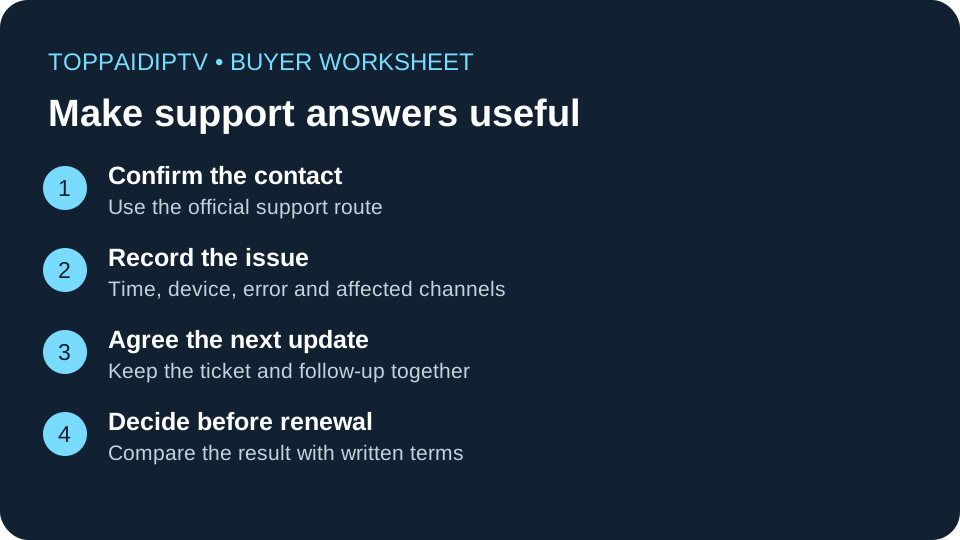
Ask a question that tests useful support
“Is your service good?” invites an answer that cannot help you compare plans. Instead, describe your actual device and ask one practical question: “I use an Android TV device with two household screens. Which player do you support, and does this plan allow both screens at the same time?”
Record whether the reply answers both parts, links to relevant instructions, and distinguishes included features from extra charges. A polite reply that only repeats the sales page is still an incomplete answer. Do not invent a fault or open multiple tickets to test an agent; one genuine pre-purchase question is enough to start.
Use the IPTV trial checklist to test playback separately. A support conversation can clarify terms, but it cannot prove stream quality, licensing or future reliability.
Get the support terms in writing
- Contact route: Is support handled through the account portal, an email address or a messaging account? Reach it from the provider's own website.
- Hours and time zone: Ask when a person is available. “24/7” may describe ticket submission rather than staffed replies.
- Scope: Does the team help with account activation, its recommended app, third-party players or your router? These are different jobs.
- Follow-up: Will you receive a ticket reference and a next-update time when the issue cannot be resolved immediately?
- Unresolved faults: Ask where the written refund, credit and cancellation terms are. Do not assume an outage automatically qualifies for any remedy.
Save the answer with the plan name and date. If the checkout wording conflicts with a chat promise, ask for clarification before paying. The subscription scorecard keeps these details alongside price, devices and renewal conditions.
Build an outage report that someone can act on
When playback stops, collect a small, consistent record rather than sending “nothing works.” Note the date, local time and time zone; device model; app version; exact error text; and whether the issue affects one channel or several. Record what happened, not an assumed cause.
Try a basic comparison: does another ordinary internet service work on the same device, and do other channels inside the player open? If only one channel fails, report that distinction. If all internet access fails, troubleshoot the connection first. Follow the buffering diagnostic guide without repeatedly reinstalling apps or changing several settings at once.
Crop screenshots before sending them. Hide passwords, payment details, playlist addresses and other people's information. Full playlist URLs may contain account credentials. Use a verified private support channel and share only the account reference needed to locate the order.
A message you can adapt
Hello, my order reference is [reference]. At [time and time zone], [channel or feature] showed [exact error] on [device and app version]. Other channels [worked/did not work], and another internet app [worked/did not work]. I have tried [one relevant check]. Please confirm whether this is a known issue and when I should expect the next update.
This is a template, not a real incident or a claim that a particular provider has an outage. Replace the placeholders with your own observations.
Measure resolution, not just the first reply
Acknowledgement, diagnosis and resolution are separate milestones. Write down when your request was acknowledged, what action was suggested, and whether that action solved the original problem. “Our team is looking into it” is an update, not a confirmed repair.
For a recurring fault, add a new timestamp to the same record and reference the existing ticket. If the suggested action does not help, explain the result and ask what evidence is needed next. Compare the follow-up with the provider's stated support hours; do not treat a weekend delay as a broken promise unless the promised coverage actually includes that period.
Decide whether to renew, pause or leave
Continue evaluating when support answers the question, gives workable instructions and closes the loop. Delay a longer commitment when the reply is incomplete or the problem keeps returning. Stop before purchasing when you cannot identify a contact route or obtain clear subscription terms. None of these observations alone proves fraud.
If you already paid, follow the provider's cancellation process and retain your request and confirmation. The FTC's subscription guidance recommends keeping cancellation records and checking statements for later charges. Consult your payment provider's own process if a billing issue remains unresolved; an outcome is not guaranteed.
Compare plans after the answers are clear
Use the same questions for each service on your shortlist. Our paid IPTV comparison helps organize the choice. If TereaTV is on your shortlist, review the current checkout terms and confirm support arrangements before committing. A commercial link is not evidence of a passed support test.
Check TereaTV checkout options
Common questions about IPTV support
Does quick support prove that a service is legitimate?
No. Responsiveness does not establish content rights, company identity or payment safety. Evaluate those independently, and use the warning-sign checklist before sharing payment information.
What if the seller only uses a messaging app?
Confirm that the account is linked from the seller's website, ask how to retain a ticket or conversation record, and check that cancellation instructions are available in writing. A messaging app alone does not establish either legitimacy or fraud.
Should I buy a longer plan after one successful reply?
One reply is a limited observation. Consider actual playback, follow-up after a problem, the written terms and your tolerance for commitment together. Do not let a short-lived discount replace that decision.